|
 |
 |
|
||||
|
||||||
|
I attended a George Lepp seminar held at the Seattle Mountaineers this past weekend. I really wasn't expecting to learn a whole lot but was very pleasantly surprised by what I did learn. Here's just one of the gems:
You may have heard about Helicon Focus, the software that will take several images of the same subject, all focused at different points throughout the subject area, and combine them into one image with everything in focus. I've not used it but I've see some amazing results from it. Turns out Photoshop CS5 can so something similar using a few arcane commands.
Here's the general idea. You set up on a subject (requires a sturdy tripod) and take several shots at different focus points. Overlap the focus by about 50%. Once you have all these shots, import them into Lightroom or access them through Bridge. Highlight the images you want to blend together. In Lightroom you can right click on any of those images and choose: Edit In>Open as Layers in Photoshop. In Bridge you basically do the same only you go to Tools>Photoshop>Load files in Photoshop Layers. |
||||||
|
||||||

Do you have a young child on your holiday shopping list? My friend Frank Serafini's new series of children's books is now available. His Looking Closely series titles include "Looking Closely Through the Forest" and "Looking Closely Along the Shore," which are the titles I bought to give to my grandson for Christmas.
|
||||||
|
||||||
|
Confused about metadata, how to read it, where it goes, does it make your image files bigger? Will it make your spouse look fatter? Check out this article from David Riecks of Controlled Vocabulary.
Also, to help with your keywording chores, be sure to check out his controlled vocabulary keyword catalog. |
||||||
|
||||||

Hey, did you know I was leading a few workshops next year? It's true!
First off will be Arches National Park Digital Workflow with my friend Victoria Dye. Victoria's been teaching Lightroom and digital photography for a number of years and is very good at what she does. Next on the schedule is a Semi-Private Tour to the Columbia Gorge waterfall area, which is already half full (the tour that is, the waterfalls are usually already full). Because of the lower price of this kind of tour, I expect it to fill up.
The first week in June I'll be co-leading, with Victoria again, a trip to Shenandoah National Park. Though not designed as a Digital Workflow workshop, we'll still be spending plenty of time on Lightroom.
The next workshop currently on the schedule is the Oregon Coast in September with Robert Stahl, based out of Newport. Bob was the very first photography instructor I ever had and finally, after a couple of years talking about it, we're finally leading a workshop together. Bob is one of the best instructors I've known when it comes to helping to get in touch with your own vision. I'm looking forward to working with him. |
||||||
|
||||||
A couple of months back I stumbled upon some on-line Lightroom tutorial videos by George Jardine that are worth checking out. At $24.95 I think these tutorials are worth it.
Library Tutorials Develop Tutorials
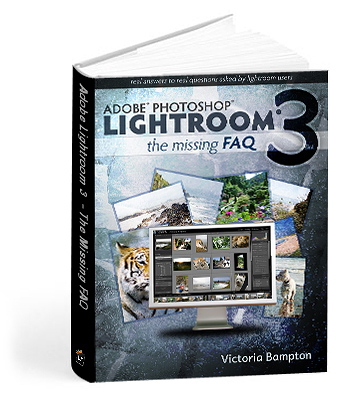
And a couple of weeks ago, while browsing Amazon.com, I came across this book: Adobe Photoshop Lightroom 3, the missing FAQ, by Victoria Bampton, also know as The Lightroom Queen. (Not to be confused with my friend Victoria Dye, who could also be a Lightroom Queen, but since I don't want to start a war for the throne, I'll just call her a Lightroom Princess. Or Empress. She's not really the princess type.)
The book was written as an E-Book to facilitate searching, but you can also get it in paperback form. In fact, if you buy the paperback, you can get the electronic versions for free. Versions? Yes, versions. She has PDF, Kindle, and ePub formats. And you get them all. So I have the E-Book on my PC, my Kindle, and my iPod Touch. The price is approximately $23 US, depending on the current exchange rate. |
||||||
|
||||||
|
So what will you do when some company emails you, praising the pictures on your website, and asking you how much you'd charge to let them use one of your pictures on the cover of their brochure? No clue, right? That's where programs like Fotoquote come into play. It will give you an idea of how much your image is worth for the requested usage and will pay for itself with the first sale you make.
I don't have any affiliation with this company, I just use the software. If you're licensing your images or even thinking about it, Fotoquote is a must-have. Besides being a pricing tool, it's chock full of advice and insider information that is invaluable to anyone trying to license their imagery. Right now, through January 7th, you can get 30% off of all of Cradoc's software |
||||||
|
||||||
Have a great holiday season everyone. And if you're still struggling with your gift list, I think a photo workshop is a fantastic gift to give someone. Or to give to yourself!.
Wishing you all a happy and fulfilling 2011. |
||||||
 |
|
|||||