
|
 |
 |
|
||||
|
||||||
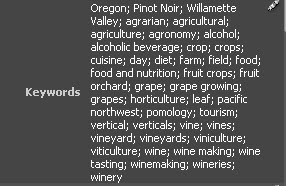
How many of you out there enjoy keywording your
images a much as I do?
I thought so. If you find it as cumbersome, boring, and
frustrating as I do, I can tell you that it helps to have
some sort of guide or checklist. And a strategy. For
instance, group similar pictures together and add
keywords that apply to all the images at once. Then go
to smaller groups of images and add keywords
common to those, and so on. Eventually you'll get to
single images and by then you'll be adding very
specific words and it should go pretty fast.
It also helps to have either a specific program that creates or gathers keywords, or to use a controlled vocabulary that you can use with whatever image management program you use. You can also create metadata templates that contain groups of keywords for specific purposes. For instance, I've been doing quite a bit of photography at the wineries of Oregon's Willamette Valley. I've created a template that contains keywords that apply to nearly all the pictures I take there. You can make metadata templates in nearly all the programs used for image management like Lightroom, Expression Media, and Adobe Bridge. Other programs like Downloader Pro and Breezebrowser will also support saving metadata settings as files you can load. And of course, specific keywording programs like fotoKeyword Harvester and Image Info Toolkit can save keyword templates.
For ideas on good keywording strategies, check out
these tips from Cradoc Bagshaw, the maker of
fotoQuote and fotoKeyword Harvester at his website.
|
||||||
|
||||||
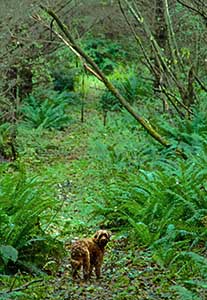
Here in the Pacific Northwest we're in the rainy, windy
clutches of autumn (except for today. Today is nice).
Winter is just around the corner and for all intents and
purposes, I'm in winter mode. That means it's time to
get back to my winter projects list. (You should know
that this is an ongoing to-do list dating back to the last
century. Well, 1997, but last century sounds
cooler).
So this winter, just like the preceding winters, I've got some things to do. For one, I've got two four-drawer filing cabinets crammed with slides, most of which I haven't even looked at in years. My perpetual winter project has been to go through these and toss as many as I can. I never get very far. Probably has something to do with a short attention span or the nonsensical worry that someone will dig my discarded slides out of the landfill, and become rich and famous off of my cruddy rejected images. Actually, I was going through some slides the other day, returning them to where they belonged in the files, and I ran across a number of pretty good images that I'd forgotten about. So that will add to my winter list as I need to get those into the slide catalog so I can remember that I even have them. Another project is to get all my older digital images keyworded. Loads of fun there. I also need to learn how to use Lightroom so I can stop faking it when people ask me about Lightroom. Just kidding. I've got no problem with claiming ignorance. It cuts down on the number of questions! Just kidding, I love questions. Really. But I still don't know much about Lightroom yet. Really. |
||||||
|
||||||
|
Like I said above, I don't know a heck of a lot about
Lightroom. But John Shaw seems to. So much so that
he's written an e-book outlining his own workflow using
Lightroom and Photoshop. Though Shaw assumes
that you already have some familiarity with both
programs, if you're new to Lightroom and haven't
gotten familiar with the program or developed your
own workflow, John's book will still be of help to you.
|
||||||
|
||||||
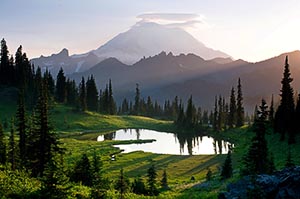
Looks like next year's workshops are already
beginning to fill. At least the two Don Mammoser and I
are leading next April to the Slot Canyons/Monument Valley
and Arches/Canyonlands National Parks.
Spring is a great
time to be in the desert southwest what with all the red
rock, traditionally good weather, and (hopefully) spring
flowers.
I'm still waiting to hear from Great American
Photo Workshops about firm dates
for the Oregon Coast workshop in Bandon next year.
This is the one I'm co-leading with Matt Kloskowski
from NAPP. Last I knew, we were aiming for May 26-
30. |
||||||
|
||||||
|
WnSoft, the makers of my digital slide show program
of choice, PicturesToExe, has just released version 6
of their excellent program. The big news here is that
now you can create shows that are playable on Macs.
It's still a Windows only program but you can send
your shows to your Mac-using friends. A lot of other
goodies and improvements as well.
If you're looking for a high-quality, very reasonably priced slide show creation program, check it out at WnSoft.com. |
||||||
|
||||||
|
Guess that's it for now.
Suppose I'll get back to re-filing and tossing slides and figuring out Lightroom. Oh, and the continued sampling of the wine I brought home from last months winery photo tour. Yeah, that's what I'll do. Hope everyone has a great Thanksgiving. |
||||||
 |
|
|||||