

|
 |
 |
|
||||
|
||||||
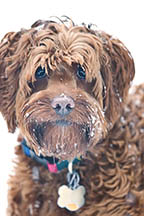
For those of you not living in the Pacific Northwest,
you may have heard about our recent snowfall (or as
the local news calls it “Mega Blizzard 2006”). Though
I was pretty busy finishing up my latest book, Bailey
and I did make time for some romping. We had
a blast. She loves chasing, chewing, chomping,
tossing, and pouncing on the stuff. For my part, I
enjoyed throwing it at her, rolling her in it, and
chasing her through it.
|
||||||
|
||||||
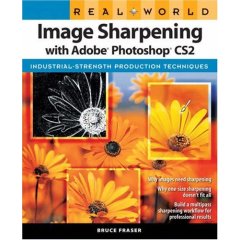
I just finished reading a book that takes much of the
mystery from the mysterious subject of image
sharpening. Why do you need to sharpen? When
should you do it? What do all those settings mean
and what numbers should you use? Real World
Image
Sharpening with Adobe Photoshop CS2 by Bruce
Fraser answers all those questions and presents the
reader with not just sharpening techniques but a
whole workflow approach to sharpening.
This is not a beginner’s book and the author assumes
that the reader already has some familiarity and
competence with Photoshop. Besides teaching
techniques, Fraser also shows you how to write your
own sharpening action routines. (Bruce Fraser has
also written several Real World books, including the
excellent Real World Camera Raw). For more
information, click on the image of the book above.
I really enjoyed this book, but then again I can be a techno geek from time to time. If you’d like to use the methods in the book but don’t want to spend the time writing up your own action sets, you can buy a whole suite of sharpening tools from Pixel Genius ( a group that Fraser is part of) called PK Sharpener. This set of automations allow the user to choose options like type of image source (high res digital camera, positive film, etc), type of image (wide edges, narrow edges, etc) and output (240 dpi inkjet on glossy paper, for instance). PK Sharpener runs about $100 but I found it well worth the money, especially since you can call up the routines in actions and use those actions to batch many images at once (something I took advantage of just recently for hundreds of images). If you’re interested in giving PK Sharpener a try, you can get a fully functional trial version by clicking the link below. (I have no affiliation with Pixel Genius, I'm just passing along something I'm happy with) |
||||||
|
||||||
|
Once again, thanks to Naturephotographers.net, I’ve
come across something worthy of passing on. Tony
Kuyper has created a fantastic tutorial on generating
and using luminosity masks in Photoshop. For any of
you who ever need to make changes to just a part of
an image (and who hasn’t), these masks make it a lot
easier and a lot more effective. For those not familiar
with the term, a Luminosity Mask is a selection based
upon the brightness values in an image. This
selection is then loaded onto a layer mask where it
becomes the actual mask.
This is definitely not a beginner’s technique, but if you’re familiar with layers, layer masks, and to some extent, channels, you should have no problem following along. Check out Tony’s tutorial on his website below. |
||||||
|
||||||

The January Winter Wildlife special workshop that I'm
leading at Triple "D" is sold out. They are taking
names for a waiting list or you can call to check on
the availability of other dates. Call Jay or Kathleen at
406-755-9653.
Don Mammoser and I still have some room left for our Triple "D" Utah trip this April 15-17. As of now, we have four spaces available. We may be able to add to our group if there's a demand, but the total group size will be no more than 12. |
||||||
|
||||||
|
From the department of "I'll never do that
again"
(though I probably will), I've just sent my next
book, "The Photographer's Guide
to
Puget Sound and Northwest Washington" off to
the
publisher. Oh my,
what a pile of work that was.
This is the first book I've done on my own and at times I didn't think I would meet the deadline. But I managed somehow and I'm glad it's done. Now I can get on to some other projects. Like that bathroom remodel my wife's been hinting at. The book is scheduled for a spring release, though I don't know if spring means March or June. We'll see. And I'll be sure to make an announcement when the book is available. |
||||||
|
||||||
|
OK, that's it for 2006 (unless something pops up
between now and the end of the year). It sure has
gone by fast. Guess that's what happens when
you've got a deadline you're not sure you'll meet.
I hope you all have a great holiday. Go buy yourself something fun. |
||||||
 |
|
|||||

